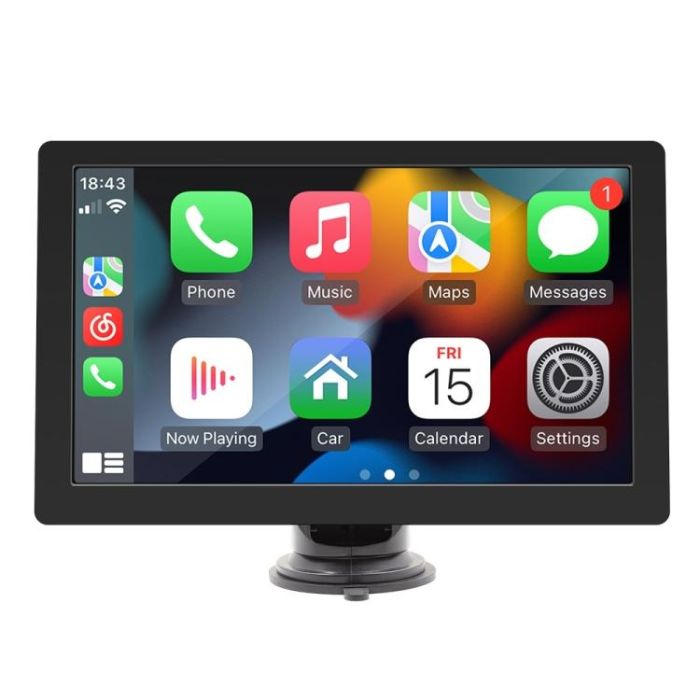
Parameters: 1. System: Linux system 2. Software solution: Lingyang DA005 3. Radio transmission frequency: preset 93.00/96.00/98.00/100.00/102.00/104.00 MHz (can be set and saved by yourself, optional range 87.5-108 MHz) 4. Radio transmission IC: QN8027 5. Amplifier IC: CS8571E 6. Output power: built-in 1W speaker 7. Working voltage: 12~30V 8. Bluetooth version: version 5.0 (default name: SWL-BT) 9. CPU: DA005 10. Running memory: DDR2 512M 11. Display resolution: 1024x600 12. Screen size: 9 inches HD (IPS) 13. Mobile phone interconnection supports wired and wireless screen projection, supports reversing image, built-in speaker, TF card, AUX port audio output (3.5MM), reversing video input (2.5MM) 14. USB interface: USB2.0 reading 15. Audio format: MP3/WMA/AAC/APE/OGG/M4A/RA/WAV 16. Video format: H264 DIVX HD (720P 1080I 1080P) AVI/FLV/MKV/RMVB/MPEG/ASF/TS/H264/QT 17. Image format: JPEG/PNG/BMP/GIF/TIFF 18. Language parameters: English, Simplified Chinese, Traditional Chinese, Arabic, Turkish, Russian, Persian, Thai, German, French, Portuguese, Spanish, Italian, Indonesian, Polish, Greek, Czech, Japanese, Hebrew, Dutch 19. Installation size: 130x85mm ; 65x65mm 20. Shell size: 222x135mm 21. Main unit depth: 25mm
Basic functions 1. Radio frequency transmission function (set the original car radio's receiving frequency to the same frequency as the selected by this unit, and the audio signal of this unit can be amplified and output to the speaker through the original car machine) 2. Card reader USB disk (audio/video/picture) 3. Bluetooth function 4. Wired and wireless mobile phone screen projection, wired and wireless Android AUTO/Apple CarPlay 5. Reversing rear view function (AHD camera optional) 6. AUX audio output function 7. With magnetic
Shall we send you a message when we have discounts available?
Remind me later
Thank you! Please check your email inbox to confirm.
Oops! Notifications are disabled.
min
:
sec
You are now in edit mode.
When the timer expires, you will be prompted to either continue editing or exit. If no response is given, the system will automatically close editing mode.